Keeping your Bird Buddy powered up is key to uninterrupted birdwatching. How Do You Know When Bird Buddy is Fully Charged? This guide shows you how to charge it safely and efficiently, read the LED indicators, troubleshoot common issues, and maintain long battery life. With these tips, your device will always be ready to capture every feathered visitor in your garden.
Bird Buddy Charging 101
Your Bird Buddy uses a rechargeable battery. Knowing its charge level keeps it ready to go. This guide explains how to charge it easily. You will also learn the estimated charging time.
Charging Methods
You charge Bird Buddy with a USB cable. Plug it into a computer port or a wall adapter. A wall adapter charges faster than a computer. Always use the original cable included.
Connect the USB cable to Bird Buddy.
Plug the other end into a wall outlet.
Check the charging light for its status.
Charging Time Estimate
The power source changes charging time. A wall charger is usually the fastest. It takes about 3 hours to fully charge from empty.
Wall charger: Takes around 3 hours.
Computer USB port: Takes 4 to 5 hours.
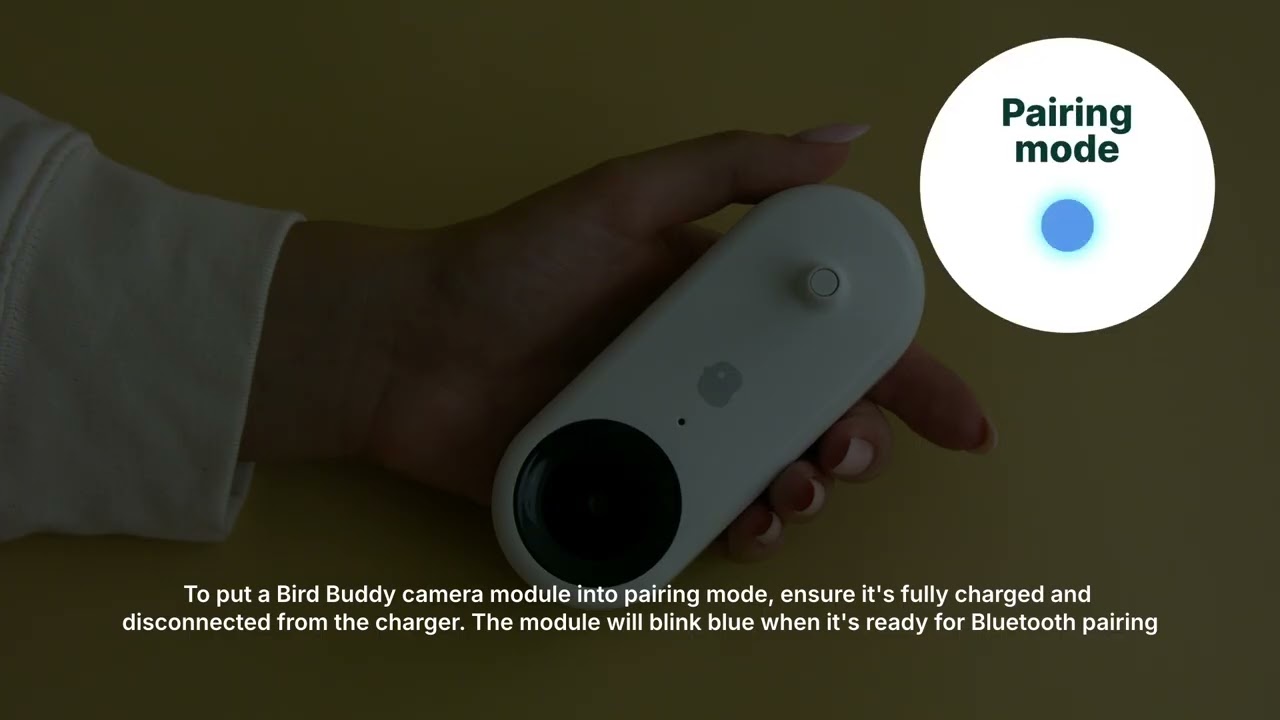
The light changes color or shuts off when full.
Credit: support.mybirdbuddy.com
Clear Signs of a Full Charge
Knowing the charge status keeps your device ready. Bird Buddy uses clear signals for you. You can check these indicators to prevent overcharging. There are two easy ways to know for sure.
LED Light Signals
The LED lights show the charging status clearly. They change color or pattern to update you.
A red or orange light means it is charging.
A solid green light means the battery is full.
No light means the device is off or done charging.
Check the lights near the charging port. You can see these easily during the day.
Mobile App Notifications
The Bird Buddy mobile app also alerts you. You can check the status on your phone. This works without seeing the device.
The app shows a charging icon when charging.
You get an alert when the charge is complete.
The battery level displays as a percentage.
Use the app if you charge the device in another room. It keeps you informed at all times.
Fixing Charging Issues
Knowing the full charge status prevents downtime. Sometimes, you might have charging problems. Here are simple steps to fix any charging failures.
Common Charging Problems
Your Bird Buddy may not charge for simple reasons. The cable might be damaged or broken. The port could be dirty or blocked. An old battery will not hold a charge well. Using the wrong charger is also a risk.
The charger cable is broken or cut.
The charging port is blocked by dirt.
The battery is simply worn out.
The wrong power source was used.
Software issues affect the charging status.
Simple Fixes for Charging Failures
First, check the cable for any damage. Replace it if you see a bend or a cut. Clean the charging port very gently. Use compressed air or a soft brush. Dirt prevents a good connection.
Use the original charger only.
Test the power source with another device.
Restart Bird Buddy to fix software bugs.
Charge in a cool, dry place only.
Contact support for an old battery replacement.
Tips for Long Battery Life
Proper charging keeps the device working well. Good care extends the overall battery life. Follow these tips to keep your Bird Buddy safe. It will stay powered longer safely.
Charging Best Practices
Use the original charger for Bird Buddy. Avoid chargers with different ratings. Watch the indicator light closely. Unplug the charger once the light turns green.
Charge only in a cool, dry place.
Do not leave it charging all night.
Unplug the charger when the battery is full.
Charge when the battery is low, not empty.
Battery Maintenance
Avoid letting the battery die completely. Charge it before it drops below 20%. Store the device with a partial charge if you stop using it. Check and recharge it every few months.
Do not expose the battery to extreme heat.
Avoid using Bird Buddy while it is charging.
Clean the charging port gently often.

Credit: support.mybirdbuddy.com
Frequently Asked Questions
How Can I Tell When Bird Buddy Is Fully Charged?
Bird Buddy shows a solid green light when full. The light also often turns off completely. Check the mobile app for a final confirmation.
How Long Does Bird Buddy Take To Charge Fully?
It usually takes 2 to 3 hours for a full charge. This time changes based on the power source. Use the original charger for the best speed.
What Does The Charging Light On Bird Buddy Mean?
A blinking red light means it is charging. A solid green light means it is fully charged. No light means it is off or fully charged and unplugged.
Can I Use Bird Buddy While It Is Charging?
Yes, Bird Buddy works while it charges. But charging takes longer when the device is running. Fully charge it first for the best performance.
Conclusion
Charging your Bird Buddy is very simple. Just pay close attention to the LED light. A steady green light confirms it is fully charged. There is no need to guess anymore. Good battery care means longer device life. Enjoy more bird watching time immediately. Keep your Bird Buddy ready for action. Avoid overcharging for the best battery health. Happy bird watching!